Working With Water#
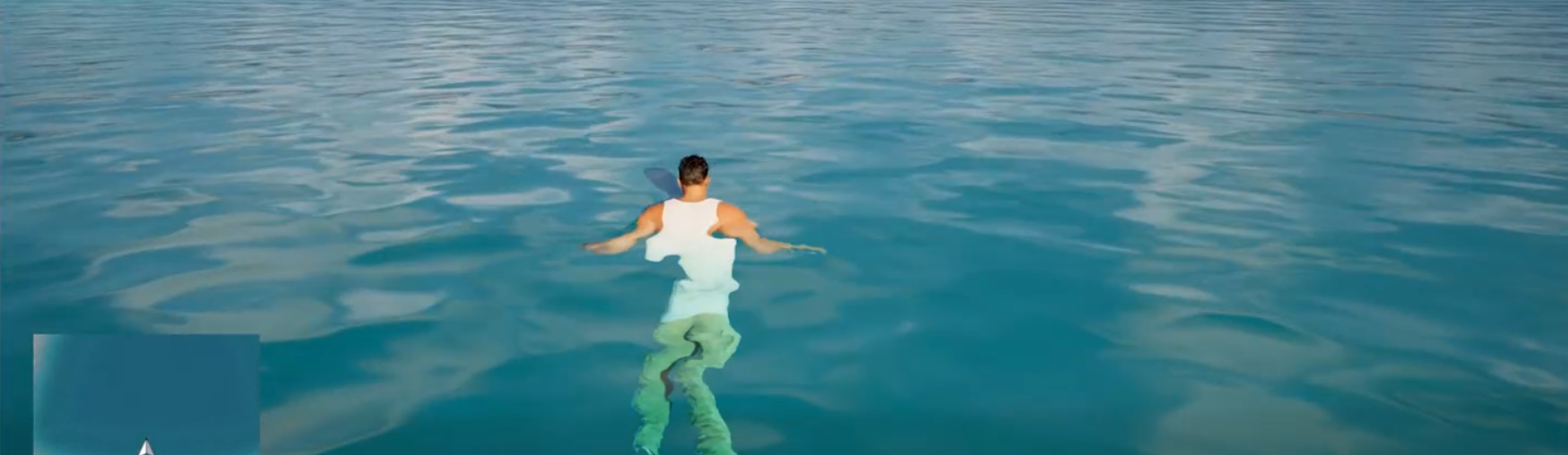
This guide explains how swimming works in HELIX: the different kinds of water a character can swim in, how to make areas of your custom level swimmable, what controls whether a character actually starts swimming, and the scripting API (Lua/BP) for reading swim state and water data.
Every character spawned by the default experience already has the pieces it needs to swim, so in most cases making an area swimmable is purely a level setup task, no scripting required.
Overview#
Swimming is driven by two cooperating pieces, both already present on the default character:
- A water data receiver (
HWaterDataReceiverComponent) that detects water around the character and caches its surface location, depth, velocity, and normal. - The character movement component (
HCharacterMovementComponent), which reads that cached data each frame and decides whether to switch into the swimming movement mode.
Note
The water data receiver is added automatically to every character by the default experience component-add action. You do not need to add it yourself, and the rest of this guide assumes it's present.
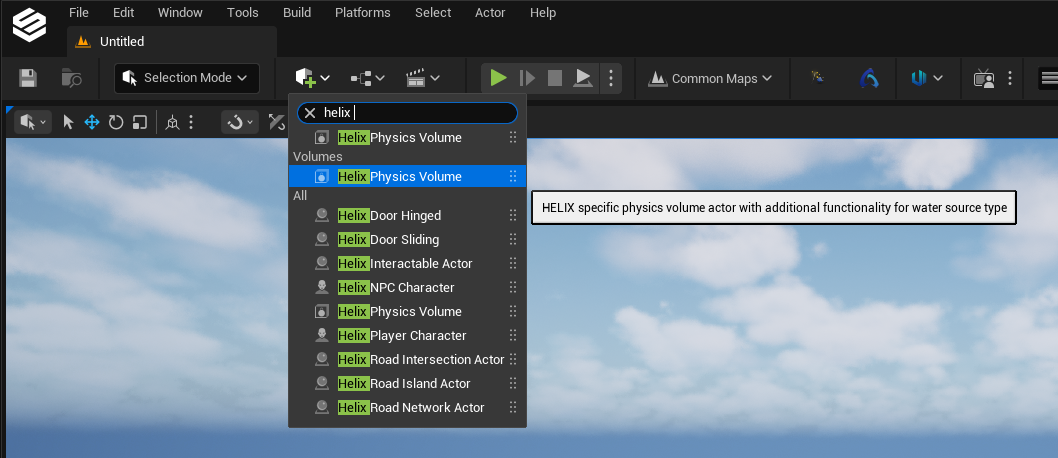
HELIX supports three sources of water. Unreal water bodies are the recommended way to add swimmable water to your level, they're detected automatically by overlap and come with all the built-in water features (underwater post-process, surface effects, etc.). The other two sources are defined by placing a Helix Physics Volume.
| Water source | How it's defined | Recommended for UGC |
|---|---|---|
| Unreal Water Body | Water plugin actor (lake, river, ocean, custom), detected by overlap | Yes, preferred |
| Physics Volume Based | Helix Physics Volume, source type PhysicsVolume |
Basic swimmable areas |
| Pacifica Ocean | Helix Physics Volume, source type PacificaOcean |
No, Pacifica only |
Note
When a character overlaps more than one kind of water at once, Unreal water bodies always take precedence over the physics-volume sources.
Adding Swimmable Water To A Level#
Unreal Water Bodies#
The recommended way to add swimmable water is a standard Unreal Water plugin actor, Water Body Lake, Water Body River, Water Body Ocean, or Water Body Custom.
These need no Helix Physics Volume. Just place the water body actor as usual. The character detects the overlap automatically, queries the water body for surface/depth/velocity/normal, and starts swimming when there's enough depth. You also get all the built-in Unreal water features for free, underwater post-process effects, surface rendering, and so on.
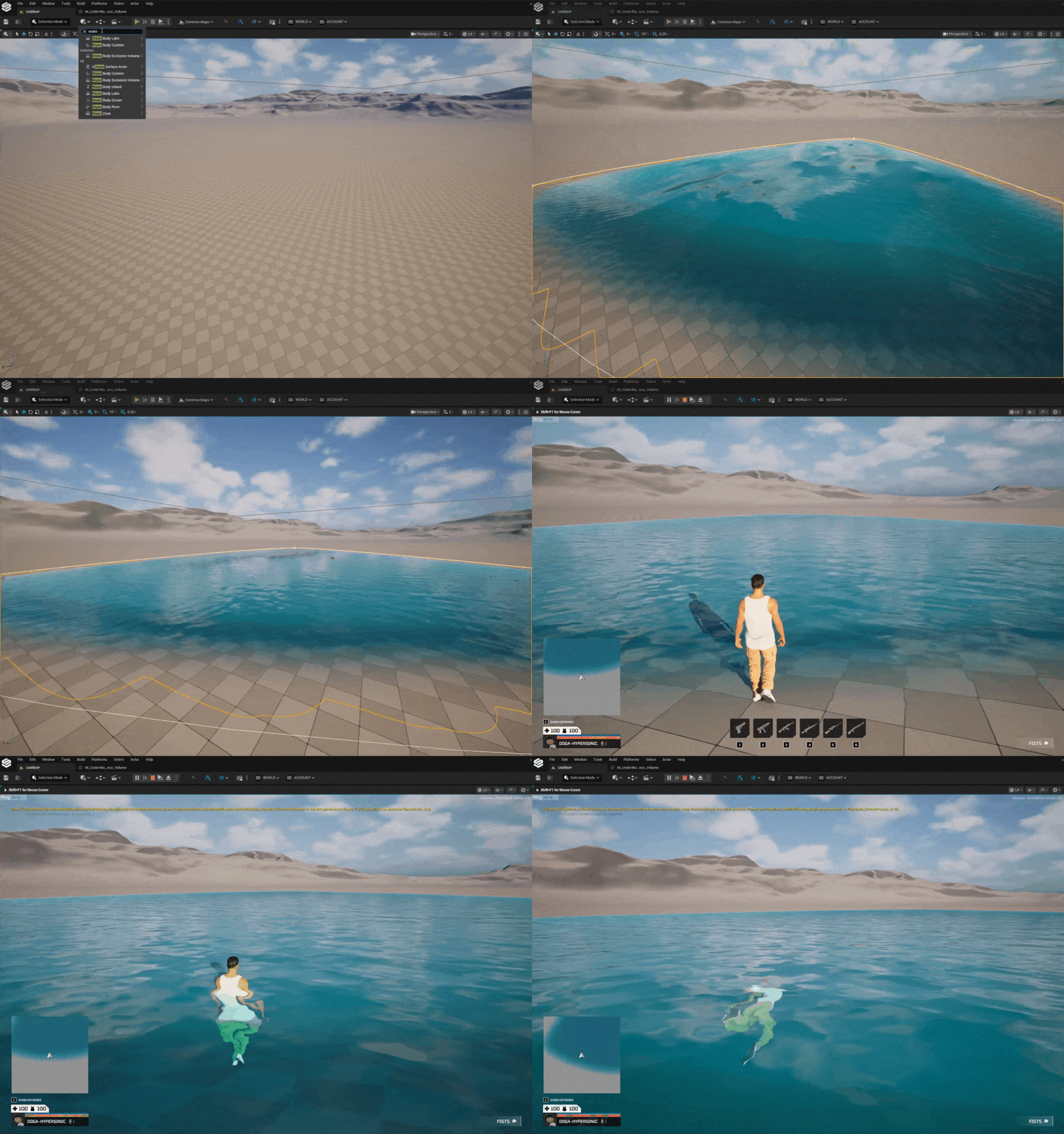
Use "custom water body" for arbitrary shapes
For pools, ponds, and other bespoke shapes, prefer a Water Body Custom.
Note
For Unreal water bodies, the receiver pulls live surface data (including waves) directly from the water body component. Exclusion volumes are respected, inside an exclusion zone the character is treated as not in that water.
Physics Volume Based Water#
Physics volume based water is a fallback method for cases where an Unreal water body won't work for you. When you do use it, the volume itself fully defines the swimmable region, both its surface and its depth, so it needs to be placed accurately to cover swimmable area.
- Place an Helix Physics Volume (
AHPhysicsVolume) in the level. - Size and position it so it precisely encloses the water area: the top of the volume is treated as the water surface, and the volume should extend down to cover the full depth you want to be swimmable.
- Enable the Water Volume toggle on the volume actor.
- Set Water Source Type to
PhysicsVolume.
The surface height comes from the top of the volume's bounds, and the floor is found by tracing down inside the volume (falling back to the bottom of the volume if nothing is hit). The difference between the two is the water depth used to decide whether a character can swim.
Place the volume accurately
For physics volume based water, the volume is the water. If the top sits below the visual water surface, characters will swim too low (or pop out); if it doesn't reach the real floor, the depth check can be wrong. Match the volume's top face to the visible surface and its bottom to the floor.
Pacifica Ocean Water#
Pacifica's ocean is driven by an internal system that is not exposed to creators, so you can't add this water source to your own levels, it's specific to Pacifica at the moment.
Where it is used, the setup is the same volume workflow, except the volume only needs to approximately cover the ocean area:
- Place Helix Physics Volume(s) roughly covering the ocean region.
- Enable the Water Volume toggle.
- Set Water Source Type to
PacificaOcean.
Here the volume does not define the water surface, it only marks "a character in here is likely in the ocean." That's the cue for the water data receiver to start reading real surface data from the ocean simulation. Until valid simulation data has been read at least once, the receiver reports "no water" so the character won't briefly swim on bad data.
When A Character Actually Swims#
Placing water is necessary but not sufficient, the movement component still gates swimming on a few conditions every frame. The most important rule for level design:
Depth must exceed character height
A character can only swim where the water is deep enough to cover them. If the total fluid height (surface minus floor) is below the activation threshold, the character keeps walking instead of swimming. Shallow water is wadeable, not swimmable.
Concretely, to start swimming the character must:
- Be overlapping water (any of the three sources).
- Be close enough to the surface (within the activation distance).
- Be in water whose total height is above the activation threshold (deeper than the character).
- Have the water surface above the character, i.e. actually submerged enough, not just standing next to a deep volume.
Once swimming, the character keeps swimming until the water gets too shallow (drops below the slightly lower deactivation threshold) or it leaves the water. The two different thresholds create a small hysteresis band so characters don't flicker in and out of swimming right at the edge.
Swimming has two sub-states you can query (see the API below):
- Surface swimming, floating at the top of the water.
- Diving, fully submerged (the top of the capsule is below the water surface).
Water currents and waves#
If the water defines a velocity (currents on Unreal water, or Pacifica ocean flow), the character is dragged by it while swimming.
Wave normals are also used to project movement input along the surface while surface swimming, so steering feels right on sloped/wavy water.
Networking & Limitations#
Swimming movement is simulated largely on each machine rather than being fully driven by the server, which keeps it responsive but means it isn't perfectly authoritative.
Swimming is not fully replicated
Swim movement is not fully replicated. In practice this is fine for normal play, but it means tall waves are not supported on Unreal water: with high-amplitude waves, the surface height the server sees and the surface the owning client sees can drift apart, causing desync. Keep wave heights low on swimmable Unreal water bodies.
Reading Swim State & Water Data (API)#
Both components live on the default character. Resolve them however your project gets the local character, then call the functions below. They're safe to call anywhere (client or server) for display/logic purposes.
- The movement component (
HCharacterMovementComponent) owns the swim state queries. - The water data receiver (
HWaterDataReceiverComponent) owns the raw water data queries.
Swim state (movement component)#
| Function | Returns |
|---|---|
IsSwimming() |
true if currently in the swimming movement mode. |
IsSurfaceSwimming() |
true if swimming at the surface (not diving). |
IsDiving() |
true if fully submerged (capsule top below the surface). |
CanSwim() |
true if current conditions allow swimming (overlapping deep-enough water, etc.). |
GetEyeDistanceToWaterSurface() |
Z distance from the character's eye to the surface. Negative when the eye is below the surface. Mostly meaningful for first person camera. |
GetImmersionDepth() |
How deeply the character is immersed (0–1 range). |
IsOwnerTouchingWaterSurface() |
true if the character's bounds straddle the surface (may be false when fully underwater). |
GetWaterSurfaceNormal() |
Surface normal used for input projection (falls back to world up). |
Water data (receiver component)#
| Function | Returns |
|---|---|
IsOverlappingWater() |
true if touching any water (any source). |
IsInUnrealWater() |
true if in an Unreal water body (and not in an exclusion zone). |
IsInPacificaOceanWater() |
true if in Pacifica ocean water specifically. |
IsInPhysicsVolumeWater() |
true if in physics volume based water specifically. |
GetCurrentPhysicsVolumeWaterSourceType() |
The active source type: None, PacificaOcean, or PhysicsVolume. |
GetWaterSurfaceLocation() |
World-space closest surface location of the current water. |
GetFluidHeight() |
Total water height (surface minus floor) at the character. |
GetWaterWorldVelocity() |
Water/current velocity at the character (zero for physics volume based water). |
GetFluidFriction() |
Friction of the current water. |
Sample Scripts#
1. Check whether the local character is swimming#
local MoveComp = Character:GetCharacterMovement()
if MoveComp and MoveComp:IsSwimming() then
    if MoveComp:IsDiving() then
        print("Diving underwater")
    else
        print("Swimming at the surface")
    end
end
2. React to entering / leaving the water#
-- Poll-based example: drive a "submerged" UI overlay from immersion depth.
local MoveComp = Character:GetCharacterMovement()
if MoveComp and MoveComp:IsSwimming() then
    local depth = MoveComp:GetImmersionDepth()  -- 0..1
    UpdateUnderwaterOverlay(depth)
else
    HideUnderwaterOverlay()
end
3. Read raw water data from the receiver component#
local WaterComp = Character:FindComponentByClass(UHWaterDataReceiverComponent)
if WaterComp and WaterComp:IsOverlappingWater() then
    local surface  = WaterComp:GetWaterSurfaceLocation()
    local depth    = WaterComp:GetFluidHeight()
    local current  = WaterComp:GetWaterWorldVelocity()
    print(string.format("Surface Z: %.1f  Depth: %.1f", surface.Z, depth))
end
4. Distinguish which kind of water the character is in#
local WaterComp = Character:FindComponentByClass(UHWaterDataReceiverComponent)
if WaterComp then
    if WaterComp:IsInUnrealWater() then
        print("In an Unreal water body")
    elseif WaterComp:IsInPacificaOceanWater() then
        print("In the Pacifica ocean")
    elseif WaterComp:IsInPhysicsVolumeWater() then
        print("In a physics volume based pool/pond")
    end
end
5. Use eye-distance to detect "head underwater"#
-- Negative eye distance means the eye is below the water surface.
local MoveComp = Character:GetCharacterMovement()
if MoveComp then
    local eyeDist = MoveComp:GetEyeDistanceToWaterSurface()
    if eyeDist < 0.0 then
        StartHoldingBreath()
    else
        StopHoldingBreath()
    end
end